

Boost Your Local Search Visibility and Optimize Your Google Business Profile
Unlock the full potential of your online presence and ensure your business stands out in an increasingly competitive digital landscape. This guide will walk you through the essentials of Google Business Profile optimization, helping you attract more potential customers and improve your local visibility.
Understanding Google Business Profiles
What is a Google Business Profile?
A Google Business Profile, often referred to as GBP, is a free and powerful tool offered by Google that allows businesses to manage their online presence across Google Search and Google Maps. It’s an essential digital storefront, presenting crucial business information to potential customers. Optimizing your Google Business Profile is vital for ensuring accurate and compelling details are readily available, making it easier for users to discover and engage with your local business. This profile goes beyond a simple listing; it’s a dynamic platform for interaction.
Importance of Business Profiles for Local SEO
Business profiles are absolutely critical for local SEO, directly impacting your visibility in local search results. When potential customers search for products or services near them, a well-optimized Google Business Profile helps your business show up prominently, often even above organic search results. This local ranking is paramount for attracting nearby customers. Without proper optimization, your business risks being overlooked, significantly reducing your chances of connecting with local clientele actively seeking what you offer. Optimizing your Google Business Profile is a cornerstone of any effective local SEO strategy.
Key Features of Google Business Profiles
Google Business Profiles offer a comprehensive suite of features designed to help your business thrive. These include displaying your business name, address, and business hours, allowing you to add photos that showcase your establishment and products, and providing a space for customers to leave Google reviews. Furthermore, you can utilize Google Posts to share updates and promotions, list your products and services, and engage with potential customers through the questions and answers section. All these elements contribute significantly to optimizing your business and improving your local ranking.
Strategies to Optimize Your Google Business Profile
Optimizing your Google Business Profile is one of the most effective ways to improve SEO, increase online visibility, and attract more customers. A fully optimized profile helps your business appear more prominently in Google Search results, Google Maps, and other local search features, making it easier for potential customers to discover your products and services.
Effective Google Business Profile optimisation involves much more than simply creating a listing. It requires maintaining accurate information, publishing regular updates, encouraging customer reviews, and monitoring your profile’s performance. Businesses that consistently optimize your Google My Business listing are more likely to improve their Google Business Profile ranking, increase customer engagement, and grow your business.
Essential Business Information to Include
The foundation of every successful Google Business Profile is complete and accurate business information. Search engines rely on this information to understand your business and match it with relevant local searches.
Complete Every Profile Section
When setting up your business account, ensure every available field is completed accurately.
Include:
Business title
Business address
Phone number
Website URL
Business hours
Service areas
Appointment links
Products and services
Attributes
Opening date
Providing complete business info helps Google better understand your business and improves your chances of appearing in relevant local searches.
Choose the Correct Business Categories
Selecting the correct primary and secondary categories is one of the most important ranking factors.
Your primary category tells Google exactly what your business does, while secondary categories provide additional context about services related to your business.
Choose categories that accurately represent your business rather than trying to target unrelated searches.
Write a Compelling Business Description
Take time to describe your business clearly and naturally.
Your description should explain:
What your business offers
Who you serve
What makes your business unique
Your experience
Your specialties
Providing useful information about your business helps potential customers make informed decisions.
Keep Information Consistent
Ensure your business information across your website, directories, and social media profiles is accurate and consistent.
Maintaining consistent information across the web strengthens trust with search engines and improves local SEO performance.
Best Practices for Profile Photos and Videos
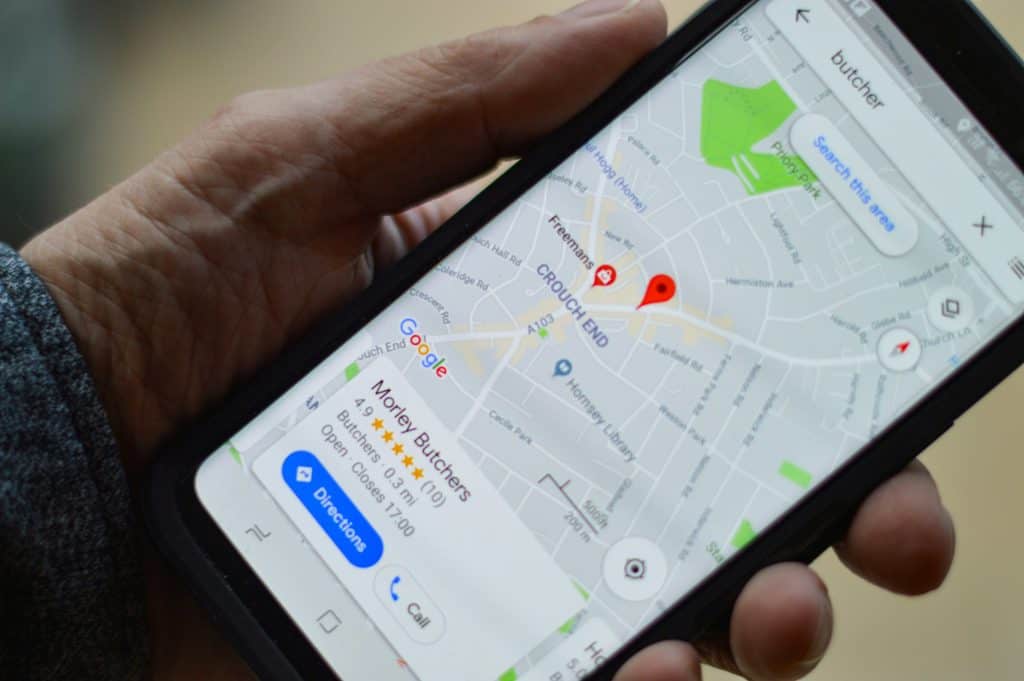
Visual content plays a significant role in attracting customers and improving engagement.
Businesses with high-quality images often receive more clicks, calls, and requests for directions than those without photos.
Upload High-Quality Images
Include professional photos of:
Storefront or office exterior
Interior spaces
Products
Services
Staff members
Company vehicles
Equipment
Team at work
These images help customers become familiar with your business before they visit.
Add a Professional Profile and Cover Photo
Choose images that represent your brand professionally.
Your profile photo should typically feature:
Company logo
Business branding
Your cover photo should showcase your business in its best light.
Upload Videos
Short videos provide another opportunity to engage customers.
Consider uploading videos showing:
Your workplace
Staff introductions
Product demonstrations
Customer experiences
Behind-the-scenes footage
Videos help customers better understand your business and build trust.
Update Photos Regularly
Adding fresh photos signals that your business is active.
Regular Google Business Profile updates can improve customer engagement and may positively influence your Google Business Profile ranking over time.

Utilizing Posts to Engage Customers
Google Posts allow businesses to share timely updates directly on their Google Business Profile.
This feature helps keep your listing active while encouraging users to interact with your business.
Share Business Updates
Create posts about:
Company news
New products
Service updates
Seasonal promotions
Community involvement
Keeping your profile active demonstrates that your business is regularly maintained.
Promote Special Offers
Highlight limited-time business offers, discounts, and promotions.
Google Posts are an excellent way to encourage potential customers to take immediate action.
Examples include:
Seasonal sales
Free consultations
New service launches
Holiday promotions
Showcase Events
Hosting an event?
Use Google Posts to promote:
Workshops
Webinars
Grand openings
Community events
Product launches
This increases visibility while providing valuable information for local customers.
Use Strong Calls to Action
Every post should encourage customers to:
Visit your website
Call your business
Book an appointment
Request a quote
Purchase a product
Well-written guest posts can help increase website traffic and conversions.
Encourage Customer Reviews
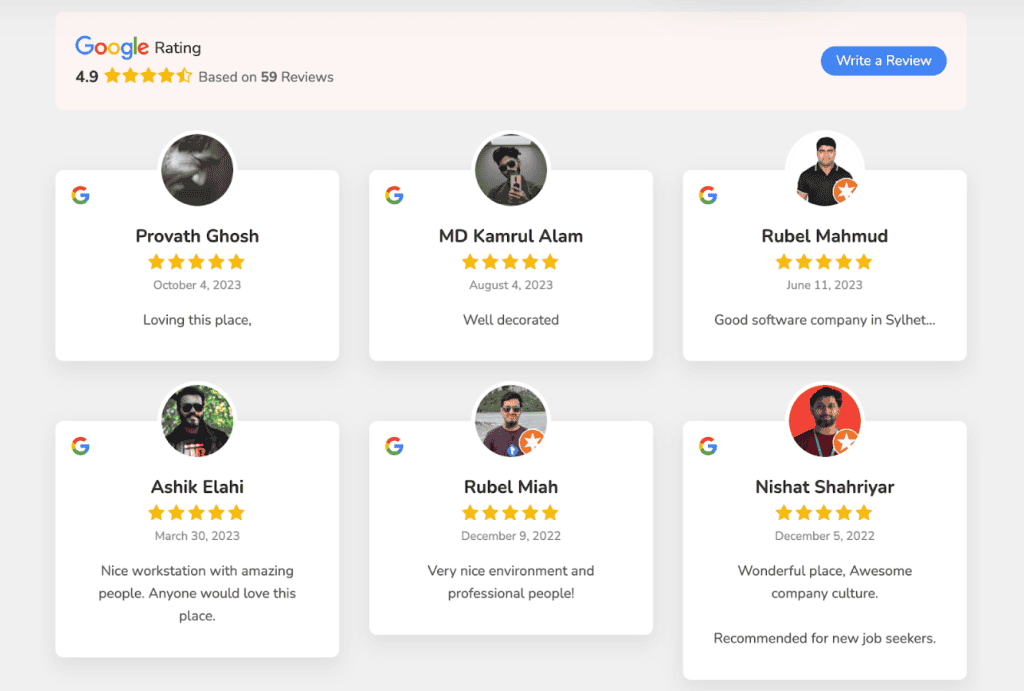
Customer reviews remain one of the strongest local ranking signals.
Positive reviews build trust and encourage more customers to choose your business over competitors.
Ask Happy Customers to Leave Reviews
After completing a successful transaction, politely ask customers to leave a review.
More positive reviews help strengthen your online reputation and improve local visibility.
Get More Google Reviews
Develop a consistent strategy to get more Google reviews by:
Sending follow-up emails
Using SMS reminders
Displaying QR codes
Including review links on invoices
Asking satisfied customers directly
Consistent review generation supports stronger local rankings.
Respond to Every Review
Always respond professionally to:
Positive reviews
Questions
Complaints
Every negative review
Responding to reviews demonstrates excellent customer service and shows potential customers that you value feedback.

Monitor Your Profile Performance
Understanding how customers interact with your listing helps you continuously improve your profile.
Review metrics such as:
Business profile views
Website clicks
Phone calls
Direction requests
Photo views
Search queries
These insights reveal which optimization efforts produce the best results.
Use Google Analytics
Connecting your website with Google Analytics allows you to measure traffic generated from your Google Business Profile.
Track:
User behavior
Conversion rates
Traffic sources
Landing pages
Customer actions
This data helps refine your local marketing strategy.
Continue Optimizing Your Profile
Local SEO is an ongoing process.
Regularly:
Update business hours
Upload new photos
Publish Google Posts
Respond to reviews
Refresh services
Add new products
Maintaining a regular Google Business Profile update schedule signals that your business remains active.
If customers search your business name, they should always find accurate and up-to-date information.
Learning how to optimize your profile is one of the most valuable investments you can make in local SEO. Businesses that consistently optimize your Google My Business listing enjoy greater search visibility, attract more local customers, and improve their Google Business Profile ranking.
By maintaining accurate business info, publishing engaging posts, encouraging customers to leave a review, responding professionally to every negative review, and using tools like Google Analytics to measure performance, you can create a stronger online presence that helps your business stand out in Google Search results.
Whether you’re just getting started or looking to improve an existing listing, taking the time to learn how to optimize your Google Business Profile will help you grow your business, increase customer trust, and outperform competitors in local search engines.

Google Business Profile Optimization Tips
How to Rank Higher in Local Search
To truly optimize your Google Business Profile and ensure your local business achieves a higher ranking in local search results, focus on comprehensive GBP optimization strategies. Start by verifying your business information, ensuring your business name, address, phone number, and primary category are meticulously accurate and consistent across all online platforms. Integrating relevant keywords naturally throughout your “from the business” description and services section can significantly help Google understand your offerings, thus improving your local SEO and helping your business show up in local search. Regularly update your business hours and ensure your products and services are clearly listed, which are key ways to optimize your Google Business Profile and enhance search ranking.
Encouraging Customer Reviews for Better Visibility
Encouraging customer reviews is a pivotal aspect of Google Business Profile optimization and directly contributes to better visibility and a higher local ranking. Positive Google reviews signal trust and credibility to both potential customers and Google itself. Actively solicit reviews from satisfied clients, perhaps through a gentle reminder after a service or purchase. It’s equally important to respond to reviews, both positive and negative, demonstrating that you value customer feedback. This interaction not only improves your Google Business Profile but also encourages more customers to leave their own Google reviews, further enhancing your visibility in local search results and boosting your SEO efforts.
Monitoring Insights for Continuous Improvement
For continuous improvement and to effectively optimize your Google Business Profile, consistently monitoring the insights provided within your Google My Business dashboard is crucial. This data offers valuable information on how potential customers are finding and interacting with your business listing, including search queries, call volumes, and website visits. Analyzing these insights allows you to identify which optimization efforts are working and where further adjustments are needed. Understanding customer behavior helps you refine your keywords, update your products and services, and tailor your Google Business Profile posts to better engage your target audience, ultimately improving your local ranking and ensuring your Google Business Profile remains a powerful tool for your local business.
Enhancing Local Ranking through SEO
Understanding Local SEO Factors
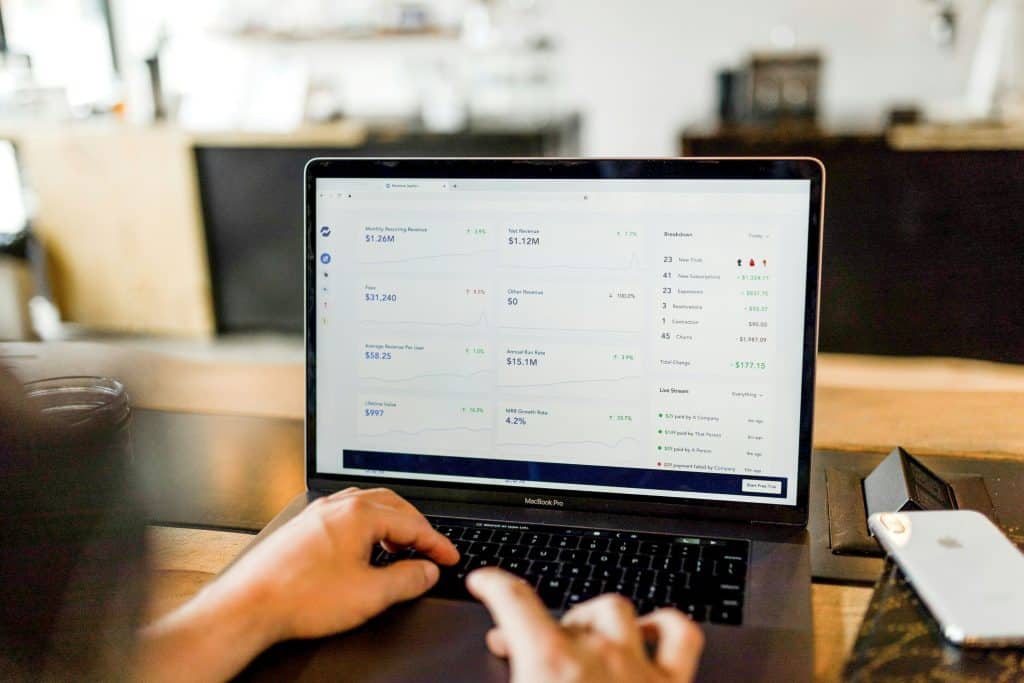
To truly enhance your local ranking and ensure your local business appears prominently in local search results, understanding key local SEO factors is paramount for effective Google Business Profile optimization. Proximity to the searcher, the relevance of your business to the search query, and the prominence of your business are the three primary pillars Google considers. Ensuring your Google Business Profile has accurate business information, a well-defined primary category, and compelling descriptions of your products and services will significantly help Google understand your offerings. Moreover, consistent Google reviews and responses to reviews demonstrate an active, reputable business, which also contributes to a higher ranking in local search.
Tools for Tracking Local Rankings
For comprehensive Google Business Profile optimization, utilizing tools for tracking local rankings is essential to monitor your progress and make informed adjustments. While the Google My Business dashboard provides valuable insights, third-party SEO tools can offer more granular data on how your business ranks for specific keywords in various locations on Google Maps and local search results. These tools help you identify strengths and weaknesses in your local SEO strategy, allowing you to fine-tune your business information, add photos, or adjust your “from the business” description. Consistently tracking these metrics is a key Google Business Profile optimization tip to ensure your local business maintains strong visibility and continually improves its local ranking.
Integrating Google Ads with Your Profile
Integrating Google Ads with your Google Business Profile is a powerful strategy to significantly enhance your visibility and attract more potential customers, complementing your local SEO efforts. When you optimize your Google Business Profile, it creates a robust foundation that Google Ads can leverage to display highly relevant and localized advertisements. This synergy helps your business show up prominently, often at the top of local search results, for targeted keyword searches. By connecting your Google My Business listing, you can display vital business information directly within your ads, such as your business name, address, and phone number, making it easier for potential customers to engage with your local business.
Attracting More Local Customers
Creating Promotions and Special Offers
Creating compelling promotions and special offers is an an excellent Google Business Profile optimization tip to attract more local customers and boost your local business. Utilize Google Posts within your Google Business Profile to announce these deals, making them immediately visible to potential customers searching for your products and services in local search results. Regularly updating your profile with fresh promotions, such as discounts or loyalty programs, can significantly increase engagement and drive traffic. This proactive approach not only entices new customers but also encourages repeat business, demonstrating active Google Business Profile optimization and helping your business stand out from competitors.
Leveraging Social Media to Drive Traffic
Leveraging social media is a crucial strategy to drive traffic to your Google Business Profile and attract more potential customers to your local business. Share links to your optimized Google Business Profile across all your social media platforms, encouraging followers to leave Google reviews or check out your products and services. Highlight positive Google reviews and link directly to your “questions and answers” section to foster engagement. This cross-promotion strategy enhances your overall online visibility, helps Google recognize your business’s activity, and directs interested individuals directly to your comprehensive business information, thus improving your local ranking and overall Google Business Profile optimization.
Networking with Local Businesses
Networking with local businesses is a highly effective, yet often overlooked, strategy to attract more local customers and enhance your Google Business Profile optimization. Forming partnerships with complementary local businesses can lead to cross-promotion opportunities, where both entities recommend each other’s services. This not only expands your reach to new potential customers but also signals to Google a stronger community presence, which can indirectly help your business rank higher in local search results. Collaborative efforts, such as shared events or bundled offers, can generate buzz and drive increased traffic to your Google Business Profile, further solidifying your local SEO and optimizing your business profile.
